
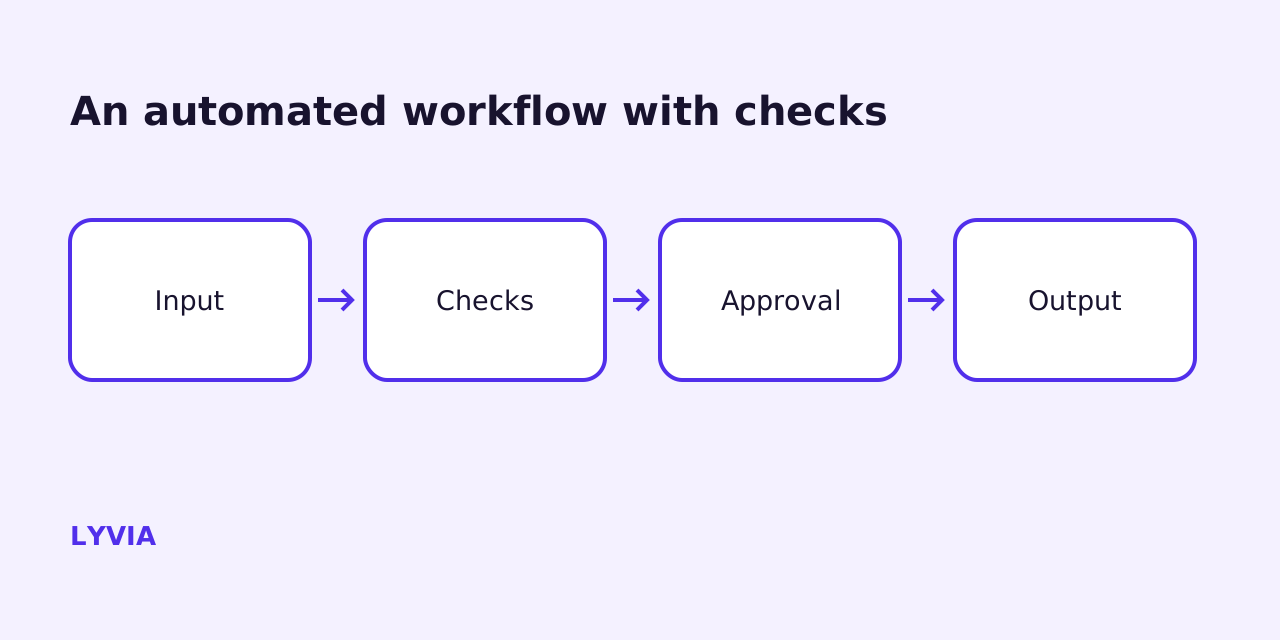
An approval gate is a design decision, not a safety feature you bolt on
Most AI automation projects in a 10-to-100-person company do not fail because the model was wrong. They fail because nobody decided, in advance and in writing, what the system is allowed to do without asking, what happens when it breaks at night, and who reads the alert. The model is the interesting part; those three answers are the part that determines whether the workflow is still running in six months.
An approval gate is the mechanism that answers the first question. It is a point in a workflow where execution stops, a human is shown what is about to happen, and the run continues or is cancelled based on that person's decision. That is a narrow definition on purpose. A gate is not a confidence threshold, not a disclaimer, and not a log you could theoretically read later. If the workflow proceeds while nobody is looking, there is no gate.
This matters because gates are expensive. Each one adds waiting time, creates a queue, and depends on a person being available and paying attention. Adding them everywhere produces a workflow slower than the manual process it replaced, plus a review habit that decays into reflexive approval within weeks. Adding none produces a system whose worst possible day is unbounded. The work is deciding where the line falls, and that decision belongs to the business, not to whoever configures the nodes.
What follows is a proposed checklist LYVIA uses as a starting point when scoping this kind of work. It is a method, not a guarantee. No arrangement of gates makes an AI workflow reliable; gates change who finds out about a failure and how early, which is a different and more achievable goal.
Gate the action, not the text
The first design mistake is reviewing the wrong thing. It feels natural to put a human in front of the model's output: read the generated paragraph, click continue. But reading text tells you whether it is plausible. It does not tell you what the workflow is about to do with it — which record it will overwrite, which address it will send to, which amount it will authorise.
n8n's human-in-the-loop feature for tools is built around the other approach, and it is the right one. Approval is attached to the tool an AI agent wants to call rather than to the agent's general output. When the agent decides it needs a tool with review enabled, the workflow pauses, a request goes out through a configured channel, and the reviewer approves — in which case the tool runs with the input the AI specified — or denies, in which case the action is cancelled and the agent is told it was rejected. The documentation is explicit that this gives more precise control than general output gating, and that review can be applied to all tools connected to an agent or only to selected ones.
That selectivity is the useful part for a small business. You can let an agent read a calendar, query a spreadsheet and draft a reply with no friction at all, and require approval only on the steps that send messages, modify records, or delete data. Those are the examples the n8n docs give for higher-risk tools, and they map cleanly onto how work actually goes wrong in an SME: an email to the wrong client, a CRM field silently overwritten, a file removed.
A practical rule to write into your scope document: an action needs a gate if undoing it requires contacting someone outside the company, spending money, or restoring from backup. Everything else gets logged and reviewed in batches. That rule is cheap to apply and it survives a change of tooling.
A gate only works if the reviewer can actually decide
The second failure mode is a gate that technically exists and is technically useless. An approval message saying "the assistant would like to proceed — approve?" trains people to click yes. The reviewer needs enough context to say no for a specific reason, and they need it inside the notification, not two systems away.
n8n exposes this directly. When configuring a human review step you can use the $tool variable to build the message: $tool.name gives the name of the tool the agent is trying to call, as shown on the canvas, and $tool.parameters gives the parameters it wants to use, including fields resolved through $fromAI() expressions. In other words, the values the model invented are the values the reviewer sees and signs off on. Use that. A message showing the tool, the target record or recipient, and the key field values is reviewable; a message showing neither is theatre.
Choose the channel with the same care. Approval requests can be routed through Slack, Microsoft Teams, Telegram, Discord, WhatsApp Business Cloud, Google Chat, Gmail, Microsoft Outlook, or n8n's own chat interface, and the review channel does not have to be the channel where the underlying interaction happens — users can talk to an agent in chat while approvals land with a named person in Slack. Pick the place your reviewer already has open all day. A gate that fires into an inbox checked twice a week is a gate that stalls work.
One more configuration detail that is easy to skip: if you are gating an agent's tools, say so in the system prompt. The n8n documentation recommends including the tool setup and human review steps in the prompt so the model understands which tools need approval and how to respond gracefully when a call is denied — inform the user, suggest an alternative, ask for clarification. Without that, a denial can read to the model as an unexplained failure, and it may simply try again.
Safe failure handling is the half that gets skipped
Approval covers the case where the workflow works and a human should decide. Failure handling covers the case where the workflow does not work at all, and it is the part most SME automations are missing. The default behaviour of a broken workflow is silence: it stops, nothing arrives, and the first person to notice is a customer.
In n8n the countermeasure is an error workflow. You create a separate workflow whose first node is the Error Trigger, save it, then select it as the error workflow in the Settings of any workflow that should use it. It runs when an execution of that workflow fails, and the same error workflow can serve many workflows — so one well-built handler that posts to a Slack channel or sends an email can cover your whole estate.
Two caveats from the documentation are worth knowing before you rely on the alert. The error data always arrives, except that execution.id and execution.url require the execution to be saved in the database, and neither is present when the failure occurs in the trigger node of the main workflow — because in that case the workflow never executed. When the trigger itself is the problem, the payload carries less information under execution and more under trigger. Design your alert message so it is still readable without a deep link, or you will get notifications you cannot investigate.
There is also the case where nothing is technically broken but the run should not continue: a total that does not reconcile, a required field missing, a value outside a sane range. The Stop and Error node exists for exactly this. It forces the execution to fail under conditions you choose, which also means your error workflow fires and someone is told. Deliberate failure is a feature. An AI workflow that quietly proceeds on bad input produces bad output with full confidence, and that is harder to detect than an outage.
Retries deserve their own paragraph because they are where well-meant robustness causes damage. From the executions list you can retry a failed execution using the previous execution data, either with the currently saved workflow — useful after you have fixed something — or with the original workflow. Both replay the run. If the workflow had already sent a message or created a record before it failed, a retry can do it twice. Before you make any retry automatic, split the workflow so that irreversible side effects happen once, guarded by a check against a stable identifier, and keep the fragile-but-safe steps upstream of them.
Evidence: you cannot own what you cannot inspect
Ownership requires a record. In n8n the Executions tab on the Overview page lists executions for all workflows you have access to, and within a project it lists only that project's workflows. The list can be filtered by workflow, by status — Failed, Running, Success or Waiting — by start time, and by saved custom data, which is data you attach yourself from the Code node. Note the availability constraint: custom executions data is documented as available on Cloud Pro and Enterprise, and on self-hosted Enterprise and registered Community.
That filter on custom data is the single most useful thing on this list for a business audit, because it lets you find runs by something meaningful to you — a client reference, an order number, a document type — rather than by timestamp. If you are going to be asked "what did the system do for this customer?", decide at build time which identifier you attach to every execution.
There is a sharp edge to plan around: deleting a workflow deletes its execution history, so you cannot view executions for deleted workflows. Treat workflow deletion as a records decision, not a tidying decision. If a workflow touched customer data or money and you may need to reconstruct what happened, export what you need first, or archive rather than delete.
Retention and log streaming are separate levers. The documentation points to reviewing executions and enabling log streaming as the ways to investigate failures, and to debugging by loading data from a previous execution back into the canvas. For an SME the practical outcome is modest and worth stating plainly: you should be able to answer, for any given week, how many runs failed, which ones were retried, and what the approvals queue looked like. If you cannot, you are not operating the system — you are hoping.
The proposed checklist: before you put it in front of a customer
One. Write the action inventory. List every write, send, payment, deletion and external call the workflow can make. Not the steps — the consequences. Anything not on this list should not be reachable by the workflow.
Two. Classify each action as reversible or not, using the test above: can it be undone without contacting anyone outside the company, spending money, or restoring a backup. Gate the irreversible ones. Log the rest.
Three. For each gate, name the reviewer and the deputy. A role, then two humans. If you cannot name a deputy, the gate will break during the first holiday.
Four. Write the approval message. It must contain what action, on what target, with which values, and a link or reference to the source material. Use $tool.name and $tool.parameters where you are gating agent tools so the reviewer sees the model's actual proposed input rather than a summary.
Five. Define the deny path and the timeout path separately. Denial is a decision and should produce a record plus, where relevant, a fallback to a human task. A timeout is not a decision. Decide explicitly whether a request nobody answers expires, escalates, or holds — and make sure the requester learns which.
Six. Configure failure handling before launch, not after the first incident: an error workflow starting with the Error Trigger, selected in the workflow settings, alerting a channel a named person watches; Stop and Error on your own business-rule violations; and an explicit decision on whether retries are allowed and which steps are safe to replay.
The proposed checklist: after it is live
Seven. Set a review cadence and honour it. Weekly for the first month is a reasonable starting point for a workflow that touches customers: read the failed executions, read a sample of successful ones, read the approvals that were denied. Denials are the richest signal you will get about where the system's judgment is off.
Eight. Track approval latency and queue depth, not just accuracy. A gate that is always approved within seconds may be unnecessary. A gate with a growing backlog is a process failure that will eventually be solved by someone approving in bulk without reading.
Nine. Put prompts, models and tool permissions under change control. A prompt edit is a production change. So is switching model versions, and so is granting an agent a new tool. At this company size the control does not need to be elaborate — a record of what changed, when, by whom, and what was checked afterwards is enough — but it needs to exist, because when behaviour drifts you will want to know what moved.
Ten. Keep a regression set: a small, fixed collection of real past cases with known correct handling, run after any change. This is the only cheap defence against a change that improves the common case and breaks an edge case nobody remembers.
Eleven. Document the off switch and test it once. Who can disable the workflow, how, and what the manual fallback is for the next two days. An automation without a rehearsed manual fallback is a single point of failure with a friendly interface.
Twelve. Name the owner in writing, with the handover pack: workflow inventory, credentials and rotation plan, failure-handling configuration, approval channels and reviewers, retention settings, and the off switch. If an external partner built it, this pack is the deliverable that makes the build yours.
How to loosen a gate without guessing
Gates should be temporary in the places where the system earns trust. The n8n documentation lists building trust in AI workflows as a reason to start with human review enabled and reduce oversight as confidence grows. The question is what counts as evidence for that reduction.
Frequency of approval is not evidence on its own, because reviewers approve reflexively once a queue gets long. A more honest basis is a sampled audit: keep the gate, but have the reviewer record, for a defined number of consecutive cases, whether they would have changed anything. If a gate runs for a meaningful stretch of real volume with no changes and no disagreements at your own review meeting, you have a case for converting it from blocking to sampled — the action proceeds, and a defined share of cases is checked after the fact.
Reverse the order for anything with a legal or contractual dimension. The n8n docs note that compliance requirements in regulated industries may require human approval for certain automated actions; where that applies, the gate is not a confidence-building measure you can retire, it is an obligation, and the decision about it belongs with whoever is accountable for the obligation rather than with the team maintaining the workflow.
And keep one gate permanently, regardless of confidence: the one in front of anything that communicates with a customer for the first time on a sensitive subject. Not because the model cannot write it, but because the cost distribution is wrong. Most of those messages are routine and one of them is a relationship.
What gates do not do
Approval gates do not make a workflow reliable. They relocate risk: from silent wrong actions to visible delays and to the quality of one person's attention. That is usually a good trade for an SME, because a delay is survivable and an unnoticed wrong action compounds. But it is a trade, not an upgrade, and anyone selling it as reliability is selling something they cannot deliver.
Gates also do not fix a broken underlying process. If the manual version of the task has no clear decision rule, automating it and adding a reviewer produces a queue of decisions nobody knows how to make. Write the rule first. The gate enforces a rule; it does not supply one.
Finally, gates do not substitute for scope. The cheapest safety measure available to a small company is not reviewing more actions — it is giving the workflow fewer actions it can take. An agent with read access to three systems and write access to one is a smaller problem than an agent with write access to all four and a reviewer who is busy.
If you are scoping this kind of work and want the gate design, failure handling and ownership map written down before anything goes live, that is the conversation to have at a discovery call — scope and quote follow from it, and the checklist above is a reasonable agenda for it.
FAQ
Where should the approval gate sit — on the AI's output or on the action?
On the action, in almost every case. Reviewing free text tells you whether a draft reads well; reviewing an action tells you what is about to change in a real system. n8n's human-in-the-loop feature for tools reflects this: approval is attached to the tool the agent wants to call, and the reviewer sees which tool it is and with what parameters, then approves or denies. Approving the output and then letting the workflow act on it unreviewed gives you the cost of a gate without the protection. The practical shape is: let the model draft freely, gate the send, the write, the payment, the deletion.
How many approval gates should a small business put in one workflow?
As few as possible, placed where an error is irreversible or externally visible. Every gate adds latency and a person who can become a bottleneck, and a queue nobody empties is worse than no gate at all because it hides the backlog. A useful test: for each candidate gate, ask what a wrong action would cost to undo. If the answer is a few clicks by the same person, log it and move on. If the answer is a refund, an apology, a regulator, or data you cannot get back, gate it.
What happens when a run fails at three in the morning?
That depends entirely on what you configured before launch, which is the point. In n8n you can set an error workflow per workflow in Workflow Settings; it runs when an execution fails and must start with the Error Trigger node, so it can post to Slack or send email with the failure context. The error payload includes workflow and error details, with the caveat that execution.id and execution.url require the execution to be saved in the database and are absent if the failure happens in the trigger node itself, because the workflow never executed. You can also force a failure deliberately with the Stop and Error node when your own business rules are violated.
Is it safe to retry a failed AI workflow automatically?
Only if the steps are idempotent, meaning running them twice produces the same end state as running them once. n8n lets you retry a failed execution from the executions list, either with the currently saved workflow or with the original workflow, using the previous execution data. That is valuable for debugging, but a retry replays the run — if the workflow already sent an email or created an invoice before failing, a naive retry can do it again. Before enabling any automatic retry, split the workflow so that side effects happen once, keyed on a stable identifier you can check against, and keep everything else retryable.
Who should own an AI workflow once it is live?
A named person inside the business, not a tool and not an agency alone. Ownership means one person is accountable for reading the failure alerts, emptying the approval queue or arranging cover, approving prompt and model changes, and deciding when to switch the workflow off. Whoever builds it should hand over the workflow inventory, the credentials and their rotation plan, the failure-handling configuration, the approval channel, and the off switch. If nobody can answer who that person is, the automation is not in production; it is in an extended pilot that happens to be touching customers.